
- Feature
- The background process based on process automation
- The effect on the Trial Balance
- Effect on the Financial dimension sets form
Starting with version 10.0.38, a new functionality “Performance enhancement for general ledger dimension set balance calculation” is available. This feature is intended to more effectively execute the trial balance and financial dimension set-based reporting. It stores financial dimension set data more efficiently and uses less space.
This feature causes changes in the trial balance: you will no longer calculate balances in the trial balance, you will see amounts based on the last run of the required background process.
Feature
To enable this feature, in the “Feature Management” workspace, you can search for “Performance enhancement for general ledger dimension set balance calculation”:

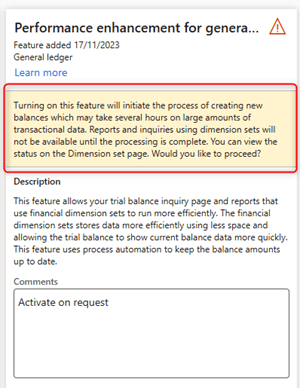
When you select this feature, on the right side of this form, you will be warned that the first time, the recalculation of financial dimension sets may take several hours, depending on the amount of transactions:
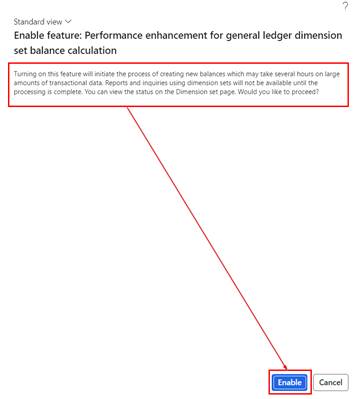
Also, when you click on “Enable now” this will be mentioned again in a pop-up window that opens:
The background process based on process automation
This feature allows new calculations of the general ledger balances to be presented on forms or reports based on financial dimension sets. After you have enabled the feature, you will find an additional background task “eneral ledger balances processin the “Process Automation” option of the System Administration module:
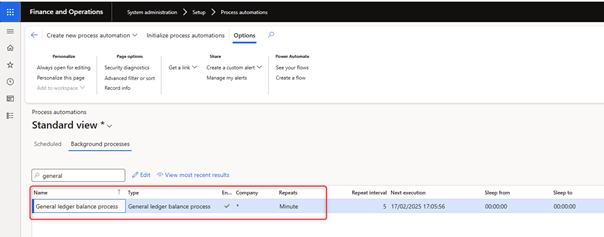
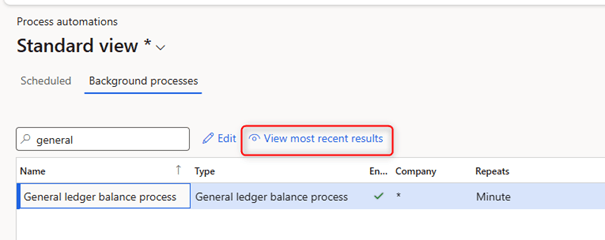
By default, this background process updates the ledger balances of the financial dimension set according to a recurring model every 5 minutes. To see if this background process was run and to check the results, you can click on the option “View most recent results” when this background process is selected:
In the “Execution Results” form that opens, you will find the results based on all the executions of the background process. For each run of the background process, a execution log can be opened by selecting that run and clicking on the “View Log” option:
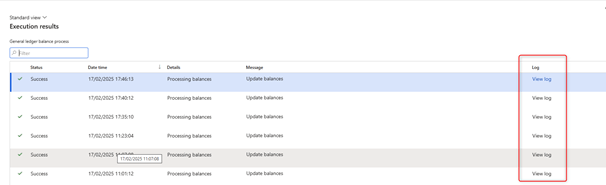
If you click on the oldest execution, in this log, you will see that the initialization of inancial dimension set balances has been launched:
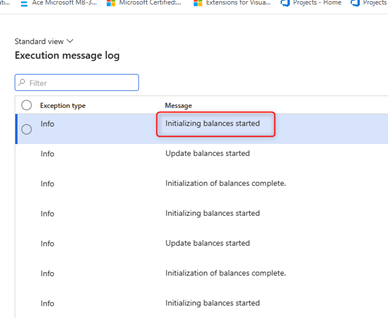
If this initialization is still in progress, when using the trial balance you will be notified:

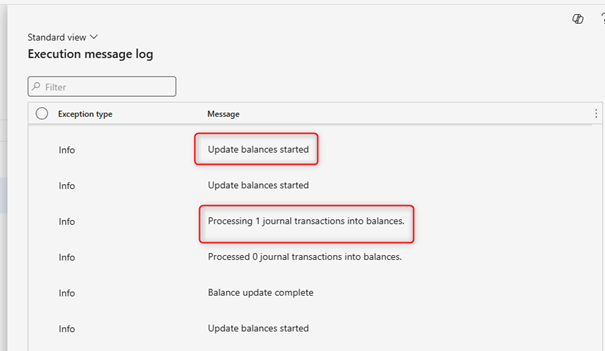
After this first run is completed, the background task runs periodically (every 5 minutes by default) and updates the ledger balances with new transactions. You can also find it in the logs via the “Update balance started” message and details of the journals processed in the balances during this update:
The effect on the Trial Balance
This feature has an impact on inquiries and reports, most of this impact will be visible in the current trial balance used. Without this feature, you will see the “Calculate balances” option and get the actual balances of the general ledger balances:
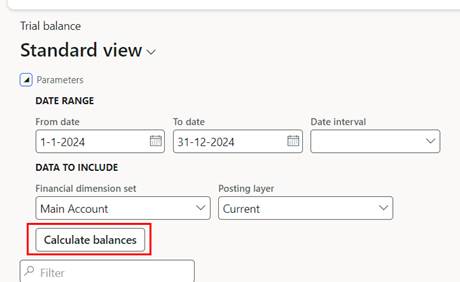
After activating the feature, the option is changed to “Show balances”:
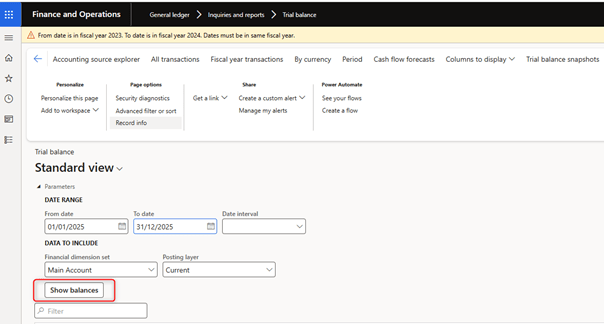
You will also see balances based on the last time the background process was run, which will always be reported as a notification at the top of the trial balance form:

The most important change, because users are used to getting the actual balances in the trial balance and they must now get used to waiting a few minutes before the new entries are visible in the trial balance.
Effect on the Financial dimension sets form
The “Financial Dimension Sets” form also has differences. If you do not enable the feature when you open this form, you will be informed of the feature:
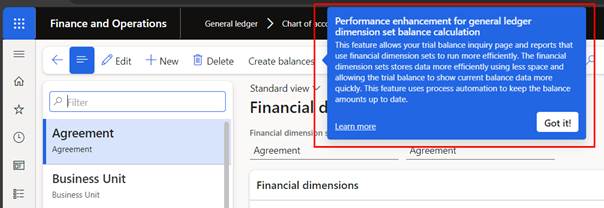
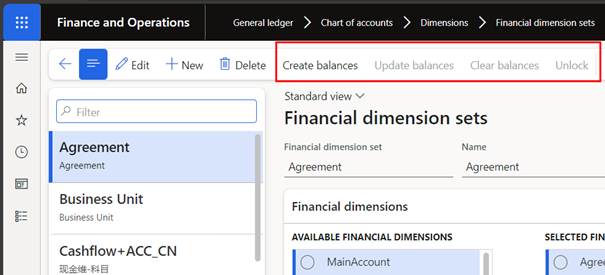
When you click this message for each financial dimensions set, you have several options to create, update or delete the calculated ledger balances:
After you have activated the functionality when opening this form “Financial Dimension Sets”, you have the option to define the status and deactivate (or activate) the balances:

In the “Balance status” option for each financial dimensions set, you can see when balances are updated based on the background process:
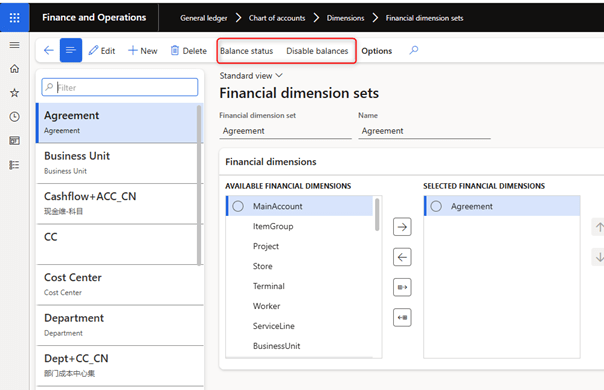
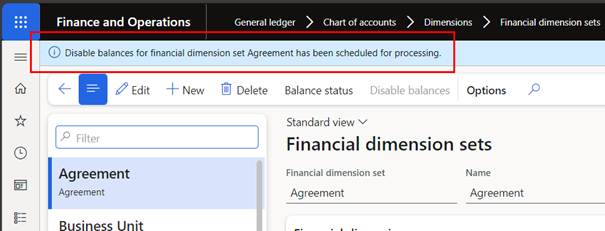
With the option “Enable balances” or “Disable balances”, you can enable or disable the use of financial dimension sets. After selecting one of the two options, a task is run to enable or disable the ledger balances for this set:
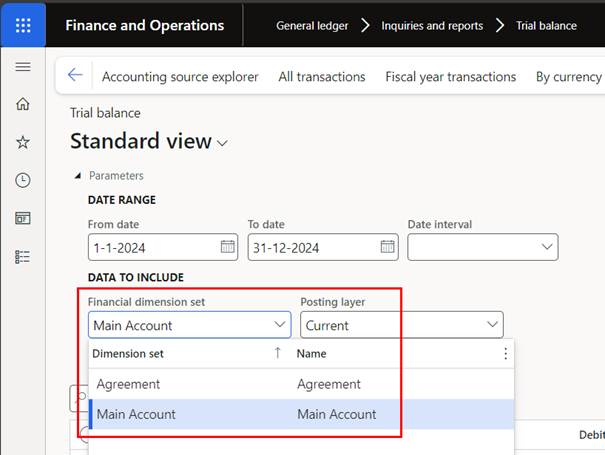
Only the enabled financial dimension sets can be used for reporting:
 D365FOAdviceTips
Leave a comment