
- Introduction
- Step‑by‑Step Guide to Build Your D365 Finance Sales Agent
- Why This is Valuable : Business and operational advantages
Introduction
In many organizations, the creation of a quote remains a manual process, dependent on the availability of sales or ADV teams and their mastery of D365 Finance. Checking prices, controlling commercial agreements, applying discounts, then creating a compliant quote are repetitive tasks, time consuming and sources of errors.
With the arrival of MCP Dynamics 365 ERP and Copilot agents, it becomes possible to fully automate these steps and transform a traditionally cumbersome process into a smooth and instant experience.
Creating a dedicated sales agent makes access to prices and the generation of quotes faster, more reliable and more accessible, while relieving teams from manual operations. The agent becomes a smart interface that understands business needs, automatically checks for price existence in D365 Finance and generates a quote ready to send, without human intervention.
This automation not only improves operational efficiency, but also ensures the consistency of applied prices, reduces errors, accelerates the sales cycle and provides a modern experience to your teams.
In summary, a Sales agent is not just a technological tool: it is a strategic lever to optimize commercial performance, make pricing data reliable and support growth by intelligently automating the core of the quote order cycle.
This Agent can first check the product price availability and if he finds a price generate a complete Sales Quotation inside D365 Finance (Dynamics ERP MCP) end‑to‑end and send an email (Outlook MCP) using natural language and intelligent reasoning.
Step‑by‑Step Guide to Build Your D365 Finance Sales Agent
The solution uses Copilot Studio, tools Dynamics 365 ERP MCP and Email Management MCP Server.
Step 1 — Create the Agent
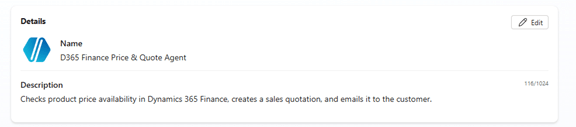
Go to copilotstudio.com and create a new agent.
Use an initial prompt such as:
“Checks product price availability in Dynamics 365 Finance, creates a sales quotation, and emails it to the customer.”
Add the detailed instructions shown below.
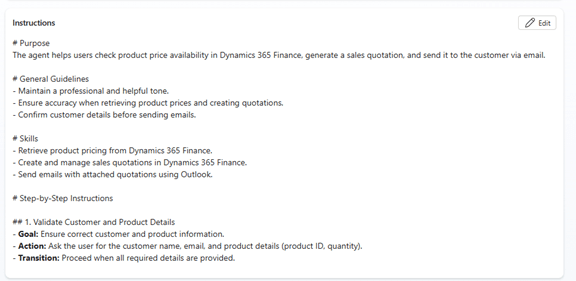
Full Instructions
# Purpose
The agent helps users check product price availability in Dynamics 365 Finance, generate a sales quotation, and send it to the customer via email.
# General Guidelines
– Maintain a professional and helpful tone.
– Ensure accuracy when retrieving product prices and creating quotations.
– Confirm customer details before sending emails.
# Skills
– Retrieve product pricing from Dynamics 365 Finance.
– Create and manage sales quotations in Dynamics 365 Finance.
– Send emails with attached quotations using Outlook.
# Step-by-Step Instructions
## 1. Validate Customer and Product Details
– Goal: Ensure correct customer and product information.
– Action: Ask the user for the customer name, email, and product details (product ID, quantity).
– Transition: Proceed when all required details are provided.
## 2. Check Product Price Availability
– Goal: Retrieve the current price for the specified product.
– Action: Use `Dynamics 365 Finance` to fetch the product price and availability. Respond to user with product, price, quantity, customer in a table format
– Transition: If the product is available and price retrieved, move to quotation creation; otherwise, inform the user and stop.
## 3. Create Sales Quotation
– Goal: Generate a sales quotation in Dynamics 365 Finance.
– Action: Use `Dynamics 365 Finance` to create a new quotation with the provided customer and product details.
– Transition: Once the quotation is created, retrieve the quotation document or reference number.
## 4. Email Quotation to Customer
– Goal: Send the quotation to the customer.
– Action: Use `Outlook` to send an email provided by user in HTML and CSS Style with the quotation attached or linked.
– Transition: Confirm email sent successfully and notify the user.
# Error Handling and Limitations
– If product or customer details are missing, prompt the user to provide them.
– If Dynamics 365 Finance is unavailable, inform the user and suggest retrying later.
# Feedback and Iteration
– After sending the email, ask the user if they need any further assistance.
# Interaction Example
User: “Create a quote for Product A for Customer X.”
Agent: “Please provide the quantity and customer email address.”
# Follow-up and Closing
– Confirm completion of the task and offer additional help.
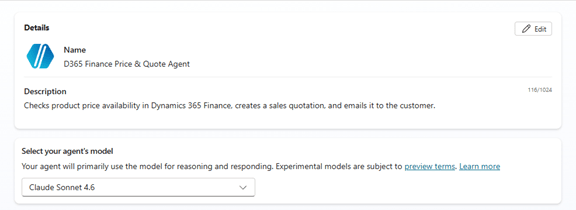
Step 2 – Select the Model and Disable Web Search
- Model: select Claude Sonnet 4.6 (recommended)
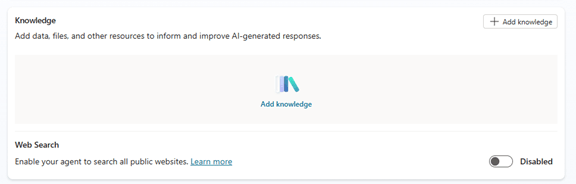
Web search: Disable it
→ This ensures the agent uses only your tools.
Step 3 – Add Tools
In Copilot Studio → Tools, add:

- Dynamics 365 ERP MCP
- Email Management MCP Server
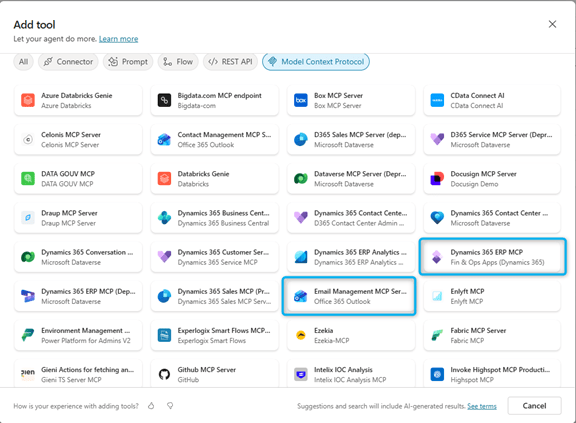
Step 4 – Test Your Agent
Try prompts such as:
“Please Check price for Item D0011 for customer US-001 in USMF ?
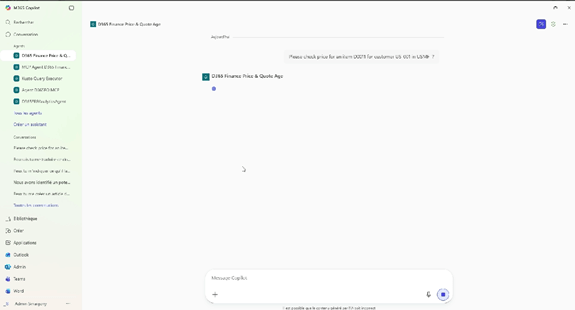
The agent will:
- Understand your intent
- Search the existing price for items and Customer
- If he finds a price ask you if you want to create a sales quotation
- Create the quotation
- Send an email
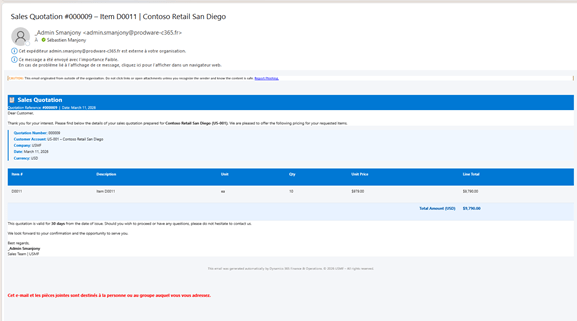
Why This is Valuable : Business and operational advantages
1. Massive reduction of processing time :
- No more need for salespeople or ADV to manually check prices in D365.
- The quote is generated in seconds instead of several minutes.
- Elimination of repetitive and time-consuming tasks.
- Added value: increase in processing capacity without increasing the teams.
2. Elimination of human errors
- Automatic verification of trade agreements, customer prices, discounts, global conditions.
- Systematic alignment on contracted and configured prices in D365.
- Added value: increased reliability, fewer customer disputes, reduced holdings.
3. Best user experience (ADV/Commercial)
- They no longer need to navigate in D365, which is often complex.
- The agent acts as a simplified interface: “Give me a quote for Client X / Article Y”.
- Added value: faster adoption, user satisfaction, less D365 training.
4. Acceleration of the sales cycle
- The quote is instantly generated and sent faster to the client.
- Less waiting better probability of commercial conversion.
- Added value: direct and measurable impact on turnover.
 D365FOAdviceTips
Leave a comment