
- Users under-licensed or over-licensed
- Users from different domains
- Membership in the Entra ID group
- Other known issues
In this article, you will learn about improvements to the Power Platform Administration Center (PPAC) user license consumption report. These improvements concern both the visuals and the data presented. These improvements are currently in preview but show that Microsoft is working hard to improve reporting.
Users under-licensed or over-licensed
Two new tiles have been added to allow you to learn more about underlicensed or overlicensed users. The report will be available soon, but it is currently in draft form. To open it, go to PPAC in preview mode: https://admin.preview.powerplatform.microsoft.com/billing/licenses/financeAndOperations
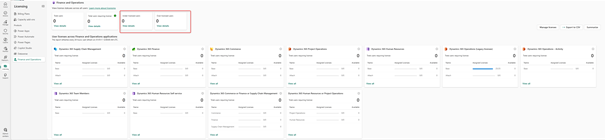
As you can see in the screenshot, two new thumbnails have been added, indicating the number of users under- or over-licensed. The “View details ” link allows you to get information about users and required licenses.
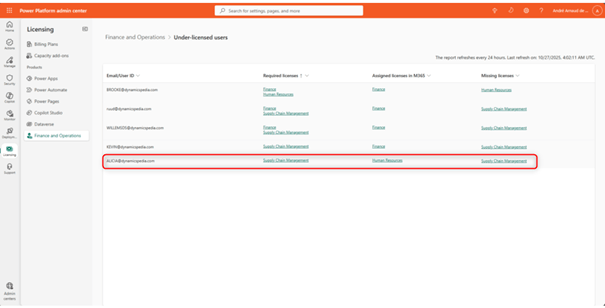
In the details of sub-licensed users, you can see all users who are assigned one or more licenses but also miss one or more. Based on this information and available licenses, you can assign Attach licenses. You can also choose to use, for example, Supply Chain Management as the base license and associate an Attach for Finance license. You can choose if the license SKUs have the same value. In the example above, Alicia needs an SCM license instead of Human Resources. If Alicia needs both, the HR license is cheaper than the SCM license. In this case, it is appropriate to assign the SCM Base or Premium license, where RH can be an Attach license.
For users with overlicenses, you can also check the details.

If a user has too many licenses, the report will list them. At the moment it does not show users for whom e.g. a Operations – Activity or Team Members license is required but a full base license is assigned.
Users from different domains
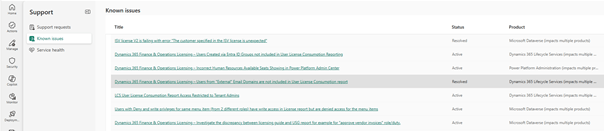
One of the existing issues has been addressed regarding missing users from secondary or external domains . In some cases, secondary domain users were not listed in the report. Now, all valid linked domain users are included.
Membership in the Entra ID group
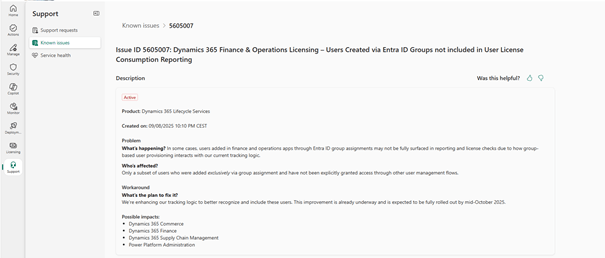
If you use security role assignment via Entra ID groups, users may be missing from the license reports. This occurs when roles are not assigned directly to users in Dynamics 365 but to the group. A workaround involves setting up a development to then automate the assignment of roles to users based on their group membership. This allowed to solve the problems.
Entra ID groups are now listed in the report. You can identify them by the presence of a GUID in the “E-mail/User ID” column.
Other known issues
You can view known issues through this link: Support: Known Issues | Power Platform Administration Center . In this list, you can filter the Dynamics 365 Lifecycle Services products, which include license-related issues.

 D365FOAdviceTips
Leave a comment