
- Key benefits of GDAP
- How GDAP Works in Practice
- Requesting a GDAP Relationship
- Service-Level Administrator Roles
- Environment Administrator
- Using Security Groups
- Power Platform Default Permissions: A Risk to Address
- Automation and Governance with Power Platform APIs
- Conclusion
Security is a critical component when managing customer environments in Microsoft ecosystems. To address this, Microsoft introduced Granular Delegated Admin Privileges (GDAP) — a modern security model that gives partners precise control over the administrative permissions they use when working on customer tenants.
Unlike the former Delegated Admin Privileges (DAP) model, which granted broad and often excessive access, GDAP enables fine‑grained, role‑based, and time‑limited permissions, significantly improving security and compliance.
Key benefits of GDAP
Granular permissions
Partners can request only the exact administrative rights required for their responsibilities, reducing unnecessary exposure.
Enhanced security
Access is limited to specific resources and actions, strengthening both partner and customer security posture.
Regulatory compliance
GDAP follows the principle of least privilege, aligning with modern compliance and governance requirements.
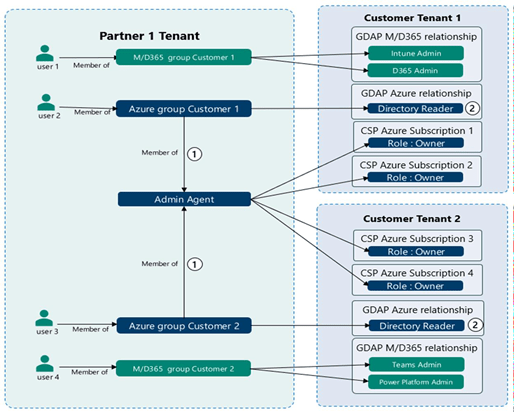
How GDAP Works in Practice
GDAP introduces a trust-based model between partners and customers.
Partners create security groups in their own tenant that define which users are allowed to intervene on customer environments. These groups are then linked through the Partner Center.
The customer remains fully in control:
- The partner submits a GDAP access request
- The customer approves or rejects the request
- Access is granted only for a defined time period
This ensures that interventions are controlled, traceable, and temporary.
Example of access segregation
Different teams can be clearly separated:
- A Dynamics 365 team may only access Dynamics administration
- No access is granted to Azure or other workloads
This segregation greatly reduces security risks and accidental over‑permissions.
Requesting a GDAP Relationship
Partners can request GDAP relationships directly from the Partner Center through a three‑step process:
- Submit a request
Define required permissions and access duration. - Customer approval
The customer reviews and explicitly approves the request. - Access management
Permissions can be monitored and adjusted from the Partner Center.
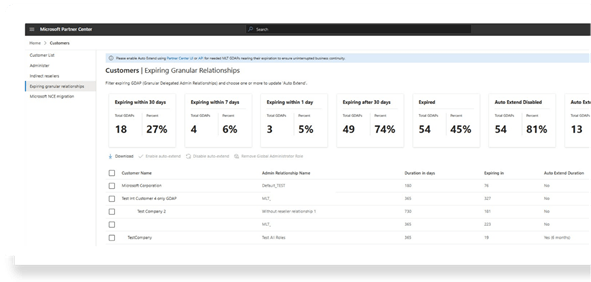
Once approved, partners can administer Dynamics 365 and Power Platform environments within the approved scope.
An additional advantage of GDAP is visibility:
- Overview of all customer connections
- Clear view of upcoming access expirations
- Dashboard monitoring
- Reminders for expiring permissions
This improves operational governance and avoids forgotten permanent access.
Service-Level Administrator Roles
Microsoft allows different administrative roles depending on the level of responsibility required. These roles can be configured in Microsoft Entra ID or the Microsoft 365 Admin Center.
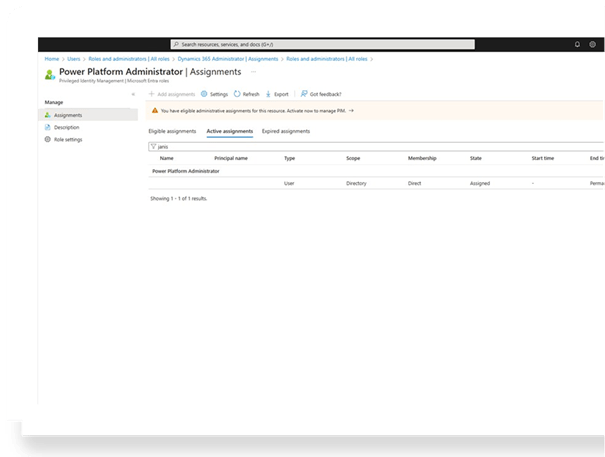
Dynamics 365 Administrator
This role allows administrators to:
- Manage environments
- Install and manage Dynamics 365 applications
- Manage environment groups
- Focus strictly on Dynamics 365 administration
Power Platform Administrator
This role includes all Dynamics 365 Administrator permissions, plus additional capabilities:
- Power Platform governance
- Capacity management
- Billing oversight
- Global visibility across the Power Platform
This role is ideal for platform governance teams rather than application-only administrators.
Environment Administrator
Each Power Platform environment can have its own Environment Administrators.
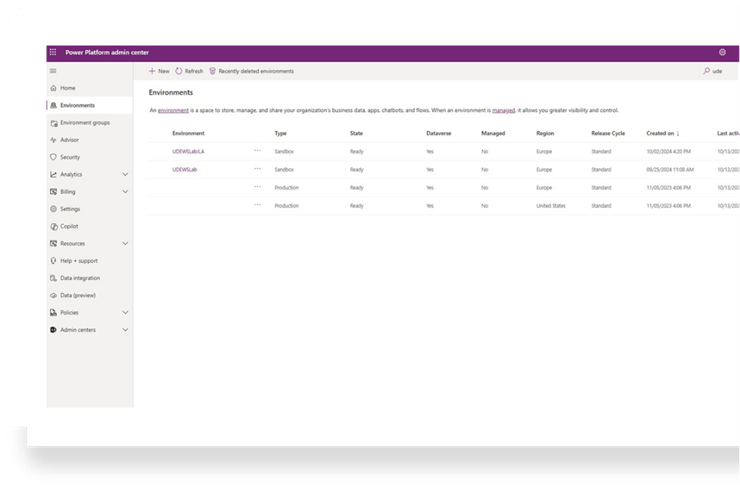
These administrators can:
- Manage a specific environment or environment group
- Operate independently from global administrators
- Have restricted visibility of business data
This model is particularly useful when customers have strong data security constraints. Administrators can maintain and configure environments without accessing sensitive business data — eliminating the need for anonymized environments.
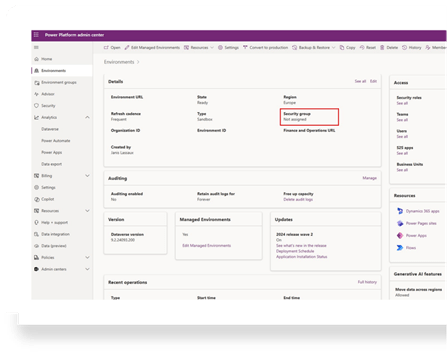
Using Security Groups
Microsoft Entra ID security groups can be linked directly to Power Platform environments.
Benefits include:
- Automatic role inheritance when users join a group
- Centralized access management
- Ability to build group hierarchies
This approach simplifies administration and ensures consistent security across teams.
Power Platform Default Permissions: A Risk to Address
By default, the Power Platform is highly permissive.
If no governance rules are defined:
- Any user in the tenant can create environments
This can quickly lead to uncontrolled growth, security risks, and governance issues.
Organizations are strongly encouraged to:
- Design a clear security model
- Integrate governance into their Power Platform strategy
- Control environment creation and administrative access
Automation and Governance with Power Platform APIs
With the introduction of Power Platform APIs, organizations can now:
- Automate governance workflows
- Request temporary administrative access
- Manage maintenance operations programmatically
This enables a modern, secure, and scalable governance model aligned with enterprise security standards.
Conclusion
GDAP, combined with structured administrator roles, environment-level security, and automation, forms the foundation of a secure and compliant Microsoft Power Platform and Dynamics 365 governance model.
By moving away from broad administrative access and adopting least‑privilege, time‑bound permissions, organizations can significantly reduce risk while maintaining operational efficiency.
Security is no longer a limitation — it becomes an enabler for controlled and trusted collaboration.
 D365FOAdviceTips
Leave a comment