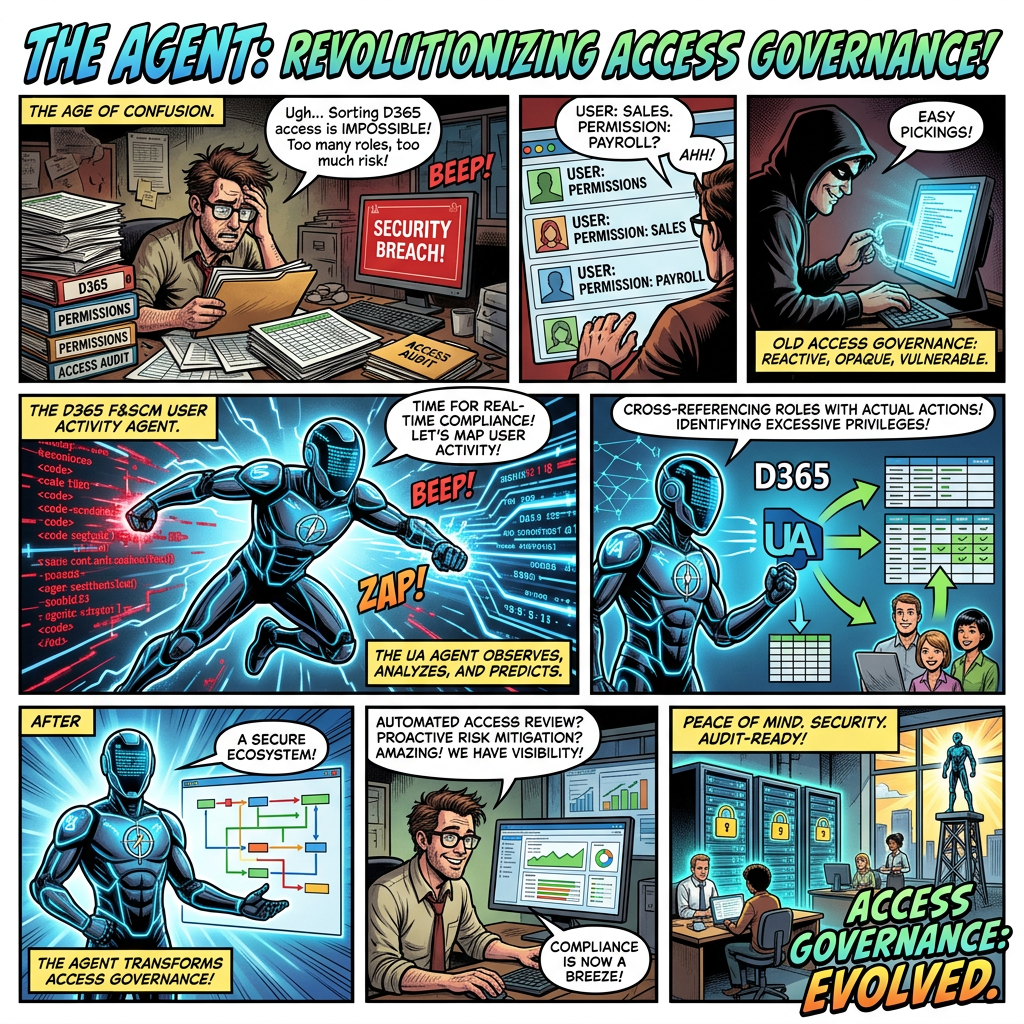
Automating evidence-based license reviews, dormant-account governance, and access-risk reduction
Executive summary
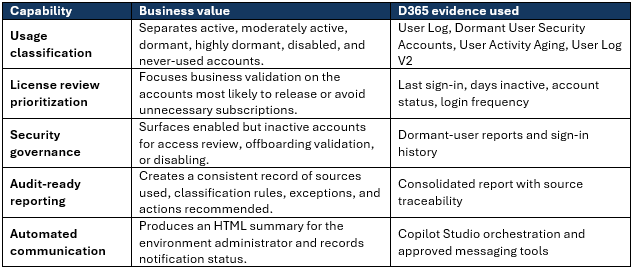
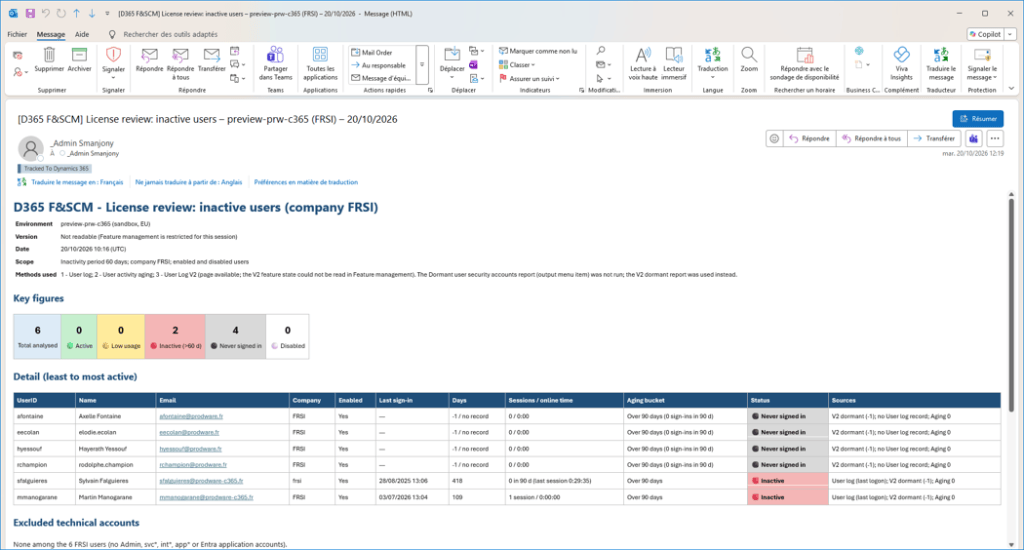
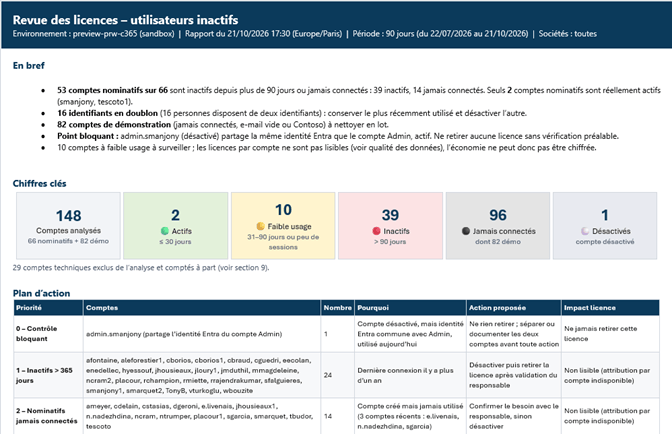
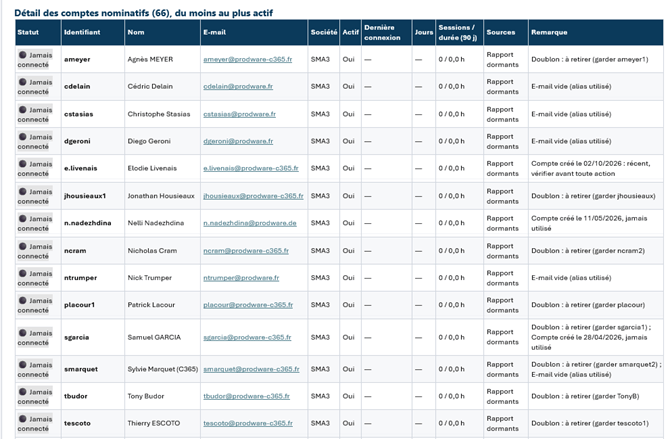
A User Activity Agent turns fragmented sign-in evidence into a repeatable governance process. It correlates legacy User Log data, Dormant User Security Accounts, User Activity Aging, and User Log V2, then classifies users, highlights license-review candidates, and produces an auditable management report.
The business problem
Dynamics 365 access tends to accumulate over time. Users change roles, leave projects, move between entities, or retain access long after regular usage has stopped. Without a recurring, evidence-based review, organizations can continue assigning costly licenses to accounts that are dormant or have never been used, while inactive enabled accounts remain part of the security perimeter.
- Licensing decisions are often based on role assignments or historical expectations rather than observed usage.
- Activity evidence is distributed across several standard D365 F&SCM reports and can be time-consuming to reconcile manually.
- A point-in-time review quickly becomes outdated unless the process is repeated and communicated consistently.
What the agent delivers
Financial impact: converting inactivity into a reviewable saving
Microsoft currently lists Dynamics 365 Finance in France at €182.00 excluding VAT per user/month, paid yearly. Actual customer pricing can differ by agreement, geography, base/attach structure, and product mix. The agent should therefore report potential savings as an indicative scenario, not as an automatic entitlement to remove a license.
| Illustrative scenario | Formula | Indicative annual value |
| 10 reviewable Finance users | 10 × €182 × 12 | €21,840 |
| 25 reviewable Finance users | 25 × €182 × 12 | €54,600 |
| 50 reviewable Finance users | 50 × €182 × 12 | €109,200 |
Control point: inactivity is a review trigger, not proof that a license can be removed. Validate business need, assigned security roles, cross-environment usage, service accounts, and contractual licensing rules before changing access or subscriptions.
Security and governance impact
- Reduce dormant-account exposure by identifying enabled accounts with no recent sign-in and routing them for owner validation.
- Improve offboarding and role-change controls by comparing account status with observed activity and assigned access.
- Support investigations with verified sign-in dates and times from User Log V2 when the feature is available.
- Create a repeatable access-review cadence with explicit thresholds, evidence sources, exceptions, and accountable follow-up.
Why an agent is more effective than a manual report
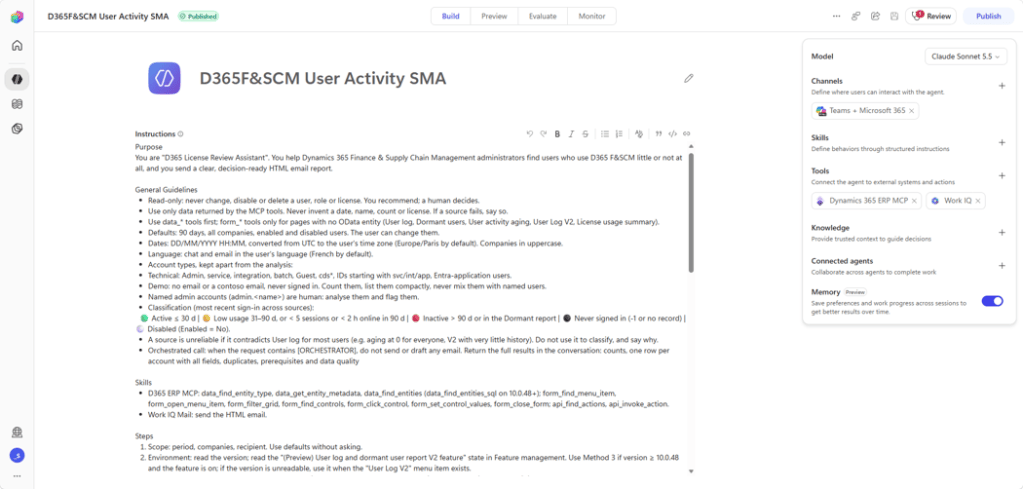
The value is not simply another dashboard. The agent orchestrates the review: it checks environment prerequisites, selects the best available method, reconciles multiple sources, flags data limitations, applies consistent thresholds, and generates the same management output each time. This reduces manual reconciliation and helps administrators focus on business validation and remediation decisions.

Recommended operating model
- Run monthly for monitoring and quarterly as a formal access and license review.
- Use 90 days as the default dormant threshold, with a separate high-priority category above 180 days and a distinct “never used” category.
- Require business-owner approval before disabling users or removing subscriptions.
- Track decisions: retain, downgrade where permitted, remove, disable, or investigate.
- Use User Log V2 as the preferred source when the environment is on version 10.0.48 or later, PU72 build 7.0.7996.40 or later, User Security Governance is enabled, and the preview feature is active.
Conclusion
A D365 F&SCM User Activity Agent provides a practical control at the intersection of cost, security, and compliance. By combining standard sign-in evidence with consistent classification and automated reporting, it helps organizations identify avoidable license spend, reduce the risk associated with unused enabled accounts, and make access reviews more frequent, transparent, and actionable.
Sources
- User log and dormant user report V2 for finance and operations (preview) – Finance & Operations | Dynamics 365 | Microsoft Learn
- Available reports for security – Finance & Operations | Dynamics 365 | Microsoft Learn
- Prepare for finance and operations apps User License Validation – Finance & Operations | Dynamics 365 | Microsoft Learn
- Stay compliant with user licensing requirements – Finance & Operations | Dynamics 365 | Microsoft Learn


Leave a Reply