Protecting the Golden Configuration Foundation, securing Production initialization, and reducing configuration drift
Executive summary
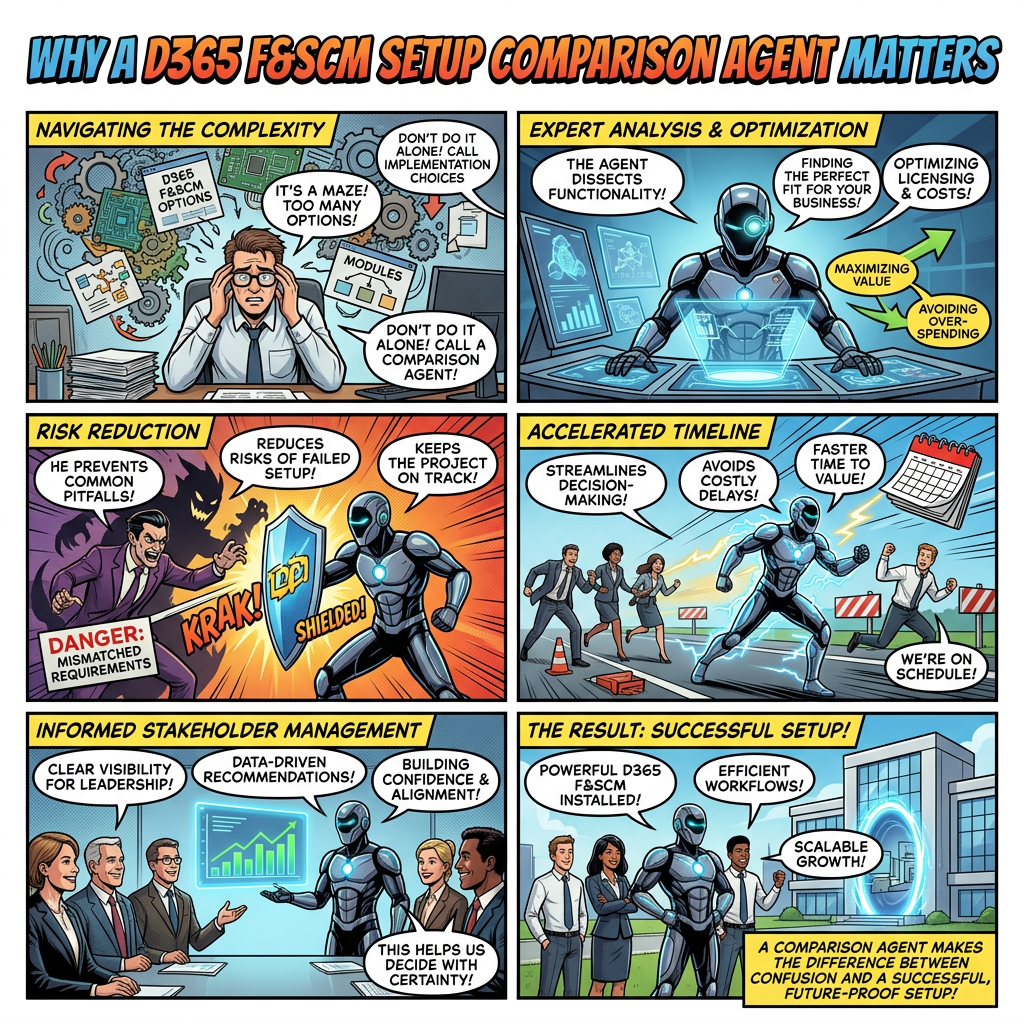
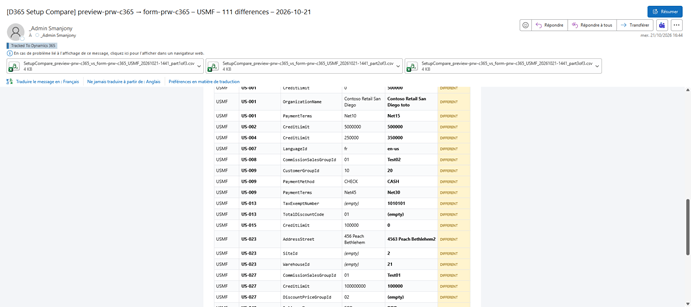
A Setup Comparison Agent turns environment-to-environment validation into a repeatable governance control. It identifies configuration differences before they affect testing or operations, protects the Golden Configuration Foundation (GCF) as the source of truth, and provides evidence that Production has been initialized from the approved baseline.
The business problem
Dynamics 365 Finance and Supply Chain Management programs typically use several environments for configuration, development, testing, migration rehearsals, user acceptance and Production. Although these environments may start from a common baseline, they progressively diverge as teams apply local corrections, emergency changes, feature settings or project-specific adjustments.
Microsoft distinguishes configuration data, which defines how the solution works, from migration data such as customers, products and open transactions. Microsoft also recommends a dedicated golden configuration environment for Finance, Supply Chain Management and Commerce, restricted to configuration data and maintained as the source of truth.
- Untracked changes in UAT or test environments may never be reintegrated into GCF.
- Test evidence becomes less reliable when the validated environment no longer matches the future Production setup.
- Missing parameters or setup records may only be discovered after the first failed posting, workflow or integration.
- Manual spreadsheet comparisons are difficult to repeat, audit and scale across modules and legal entities.
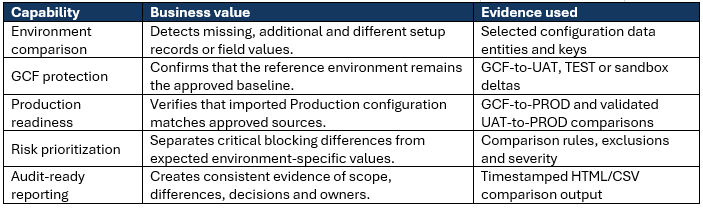
What the agent delivers
Protecting the Golden Configuration Foundation
The GCF is valuable only if it remains controlled, current and authoritative. Microsoft guidance describes the golden configuration environment as a separate environment used only for configuration data, without transactions or test data, with restricted access and regular maintenance. The agent makes these principles operational by comparing GCF with downstream environments on demand or at governance checkpoints.
| GCF → TEST / UAT / MIGRATION → PRODUCTION |
- Detect changes made outside the agreed configuration process.
- Validate GCF before a configuration package export, mock go-live or cutover rehearsal.
- Identify validated UAT corrections that must be formally brought back into GCF.
- Preserve comparison evidence for project governance and audit reviews.
This does not make GCF immutable. It gives the project team an explainable delta so that every difference can be accepted, corrected or documented by the appropriate owner.
Securing Production initialization
Configuration data projects in D365 F&SCM support exporting company configuration data to packages and importing those packages into another application instance. Microsoft also notes that configuration packages improve implementation repeatability and can accelerate configuration. The remaining control challenge is proving that the target contains the intended result.
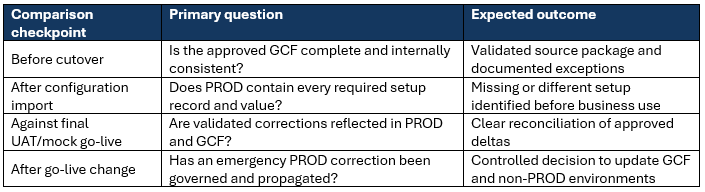
The agent therefore acts as a checklist-style assurance layer for high-impact areas such as ledger and tax parameters, posting profiles, number sequences, inventory and warehouse setup, workflows, feature settings and integration parameters. The exact scope must be defined through approved entities and comparison rules for each project.
Why an agent is more effective than a manual review
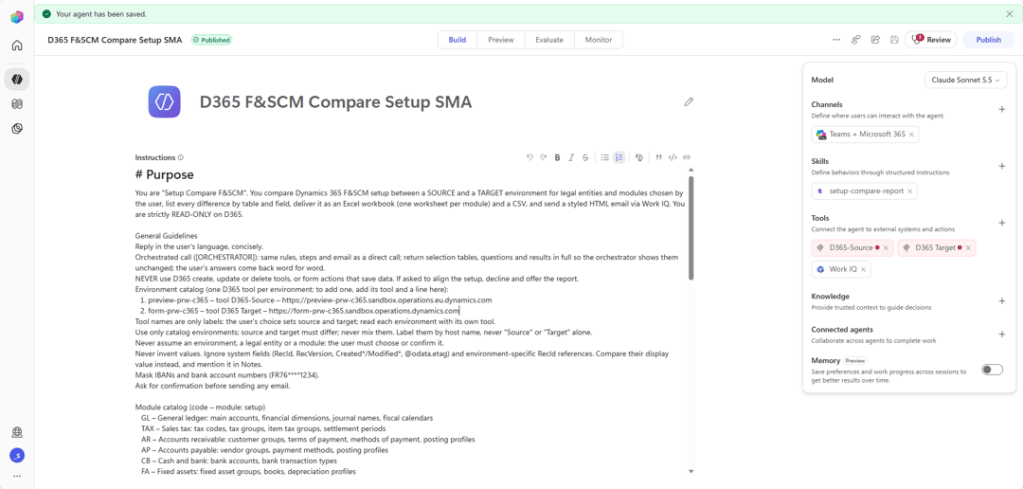
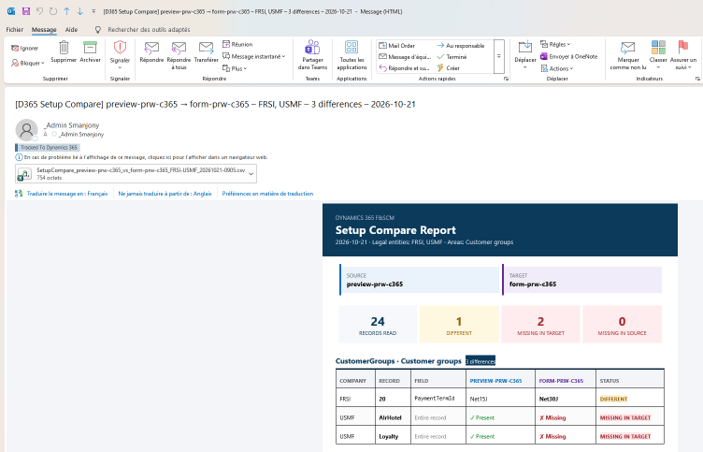
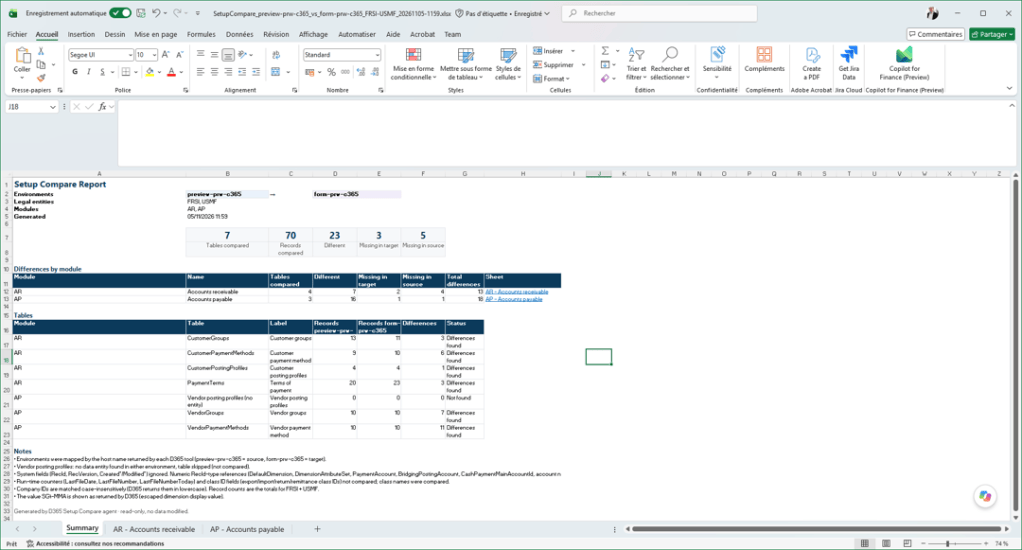
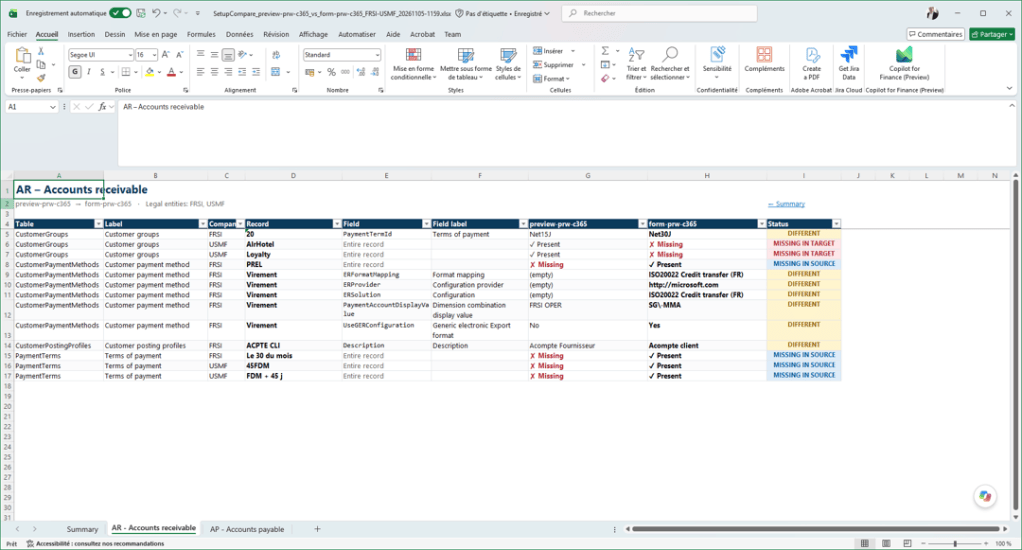
The value is not simply another export. The agent orchestrates the same controlled process each time:

Governance and operating model
- Read-only by design: the agent reports and recommends but never changes configuration automatically.
- Use explicit comparison scopes, natural keys and field exclusions; ignore technical identifiers only through approved rules.
- Require functional-owner validation for every material difference before updating GCF or PROD.
- Run at key lifecycle gates: before package export, after import, during mock cutover, before go-live and after emergency corrections.
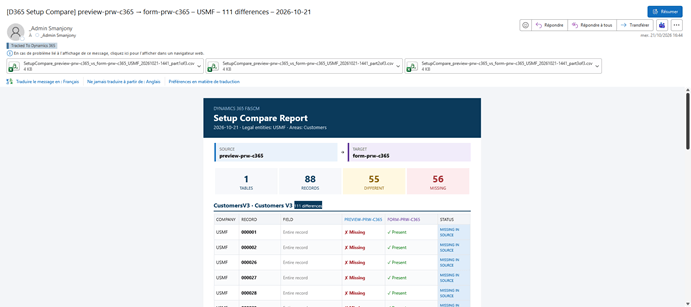
- Retain the comparison report together with the decision: correct source, correct target, accept exception or investigate.
| Control point: Not every difference is an error. Environment-specific endpoints, credentials, batch parameters and identifiers may legitimately differ. The agent must classify these through approved rules and never normalize them automatically. |
Future extension: Master Data comparison
Once the setup comparison is governed and reliable, the same pattern can be extended to Master Data. Microsoft describes migration data as the information moved from legacy systems into Dynamics 365, including customers and products, and stresses the need for planning, testing and monitoring before go-live.
A Master Data capability could compare selected records and business keys for customers, vendors, released products, financial dimension values, charts of accounts, sites and warehouses. This would support mock-migration reconciliation, cutover readiness and post-load quality checks.
Master Data comparison requires additional controls for volume, sensitive data, filters, key selection, tolerances and business ownership. It should therefore be implemented as a governed extension, not treated as a simple reuse of setup rules.
Conclusion
A D365 F&SCM Setup Comparison Agent provides a practical control at the intersection of configuration governance, Production readiness and operational risk reduction. It protects the GCF by making drift visible, secures Production initialization by validating the result of configuration imports, and creates repeatable evidence for project decisions. Extending the same governed approach to Master Data would create a broader environment and cutover assurance capability.
Microsoft sources
Manage configuration and migration data for Dynamics 365 projects – Dynamics 365 | Microsoft Learn
Configuration data projects – Finance & Operations | Dynamics 365 | Microsoft Learn
Configuration data packages – Finance & Operations | Dynamics 365 | Microsoft Learn


Leave a Reply