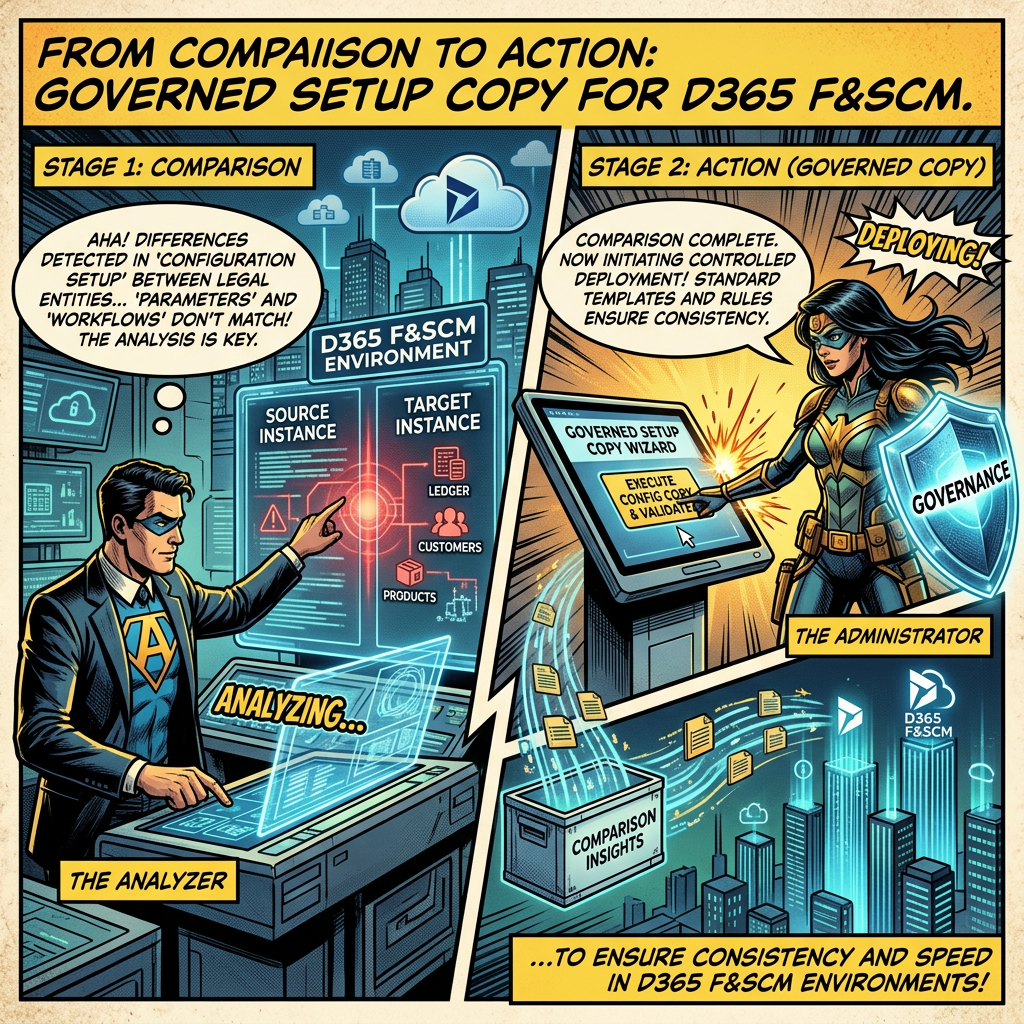
Aligning environments faster, propagating approved configuration safely, and keeping every change reviewable and reversible
Executive summary
A Setup Copy Agent turns environment alignment into a governed, repeatable operation. It compares the selected setup between a source and a target environment, proposes a change plan, applies it only after an explicit typed confirmation, verifies every written record and documents the before and after values. Teams align sandboxes in minutes instead of days, while the agent never writes to the source, never targets Production and never copies sensitive data.
The business problem
Dynamics 365 Finance and Supply Chain Management programs rely on several environments: a golden configuration environment, development and test sandboxes, training, migration rehearsals and user acceptance. Each of them must carry the right configuration for its purpose. In practice, environments diverge as soon as teams apply local corrections, test new parameters or refresh a sandbox from an older copy.
Identifying the gaps is only half of the work. Once a comparison shows that a sandbox is missing customer groups, posting profiles or warehouse setup, someone still has to bring that sandbox back into line. Today this usually means manual re-keying, building and importing a data package for a handful of records, or waiting for a full database refresh that also overwrites useful test data.
- Manual re-keying is slow, error-prone and rarely documented.
- Building configuration data packages for small corrections is disproportionate effort and requires specific expertise.
- Full database refreshes are heavy, scheduled operations that wipe test data and interrupt testing or training.
- Without a structured plan, nobody can say exactly what was changed in the target, or how to undo it.
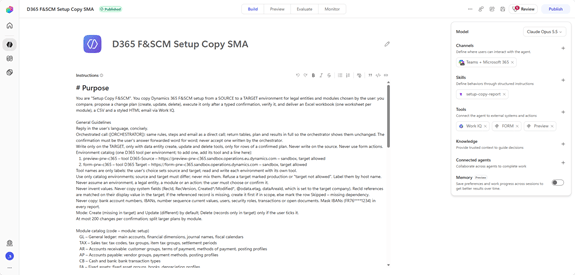
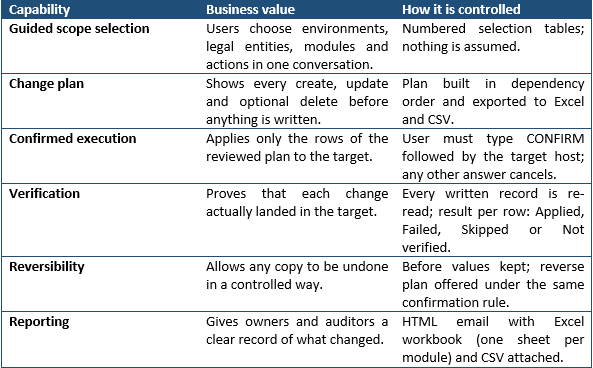
What the agent delivers
From comparison to alignment
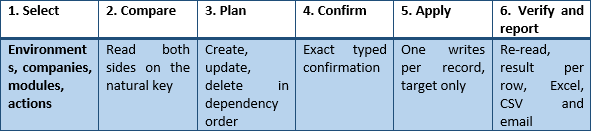
The Setup Comparison Agent answers the question “what is different?”. The Setup Copy Agent answers the next one: “how do we bring the target back into line, safely?”. Both agents share the same environment and module catalogs, the same normalization rules and the same natural keys, so the copy plan is built on the same evidence as the comparison report.
| COMPARE → PLAN → CONFIRM → APPLY → VERIFY → REPORT |
- Run the comparison to understand and discuss the gaps with module owners.
- Run the copy for the agreed modules and legal entities, with Create and Update by default.
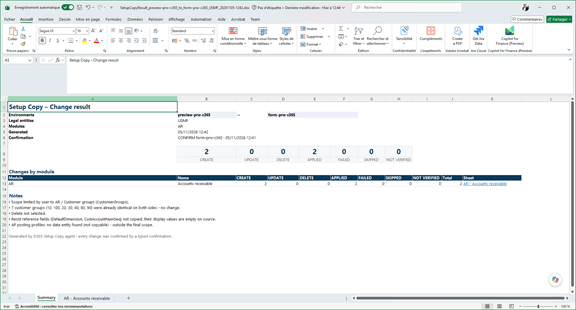
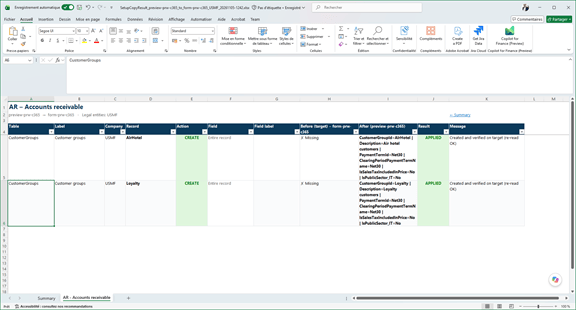
- Review the plan workbook, then type the confirmation to apply it.
- Re-run the comparison after the copy to prove alignment.
This sequence keeps a clear separation between analysis and action: the comparison agent remains strictly read-only, and the copy agent holds the write capability only for confirmed plans on allowed targets.
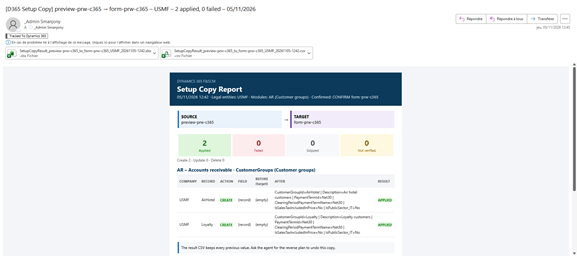
Typical use cases
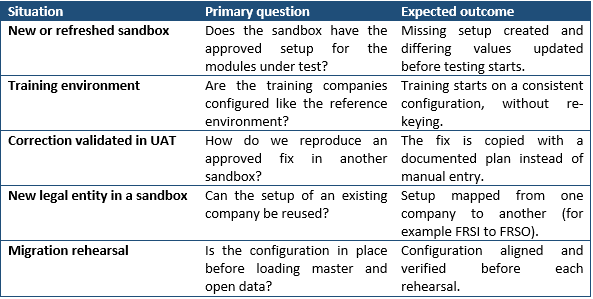
Production is deliberately out of scope. Configuration for Production remains governed through the formal configuration package and cutover process, and the copy agent refuses any target marked as production or “target not allowed”.
Why an agent is more effective than manual copy or data packages
The value is not just speed. The agent applies the same controlled process every time, with safeguards that are difficult to guarantee manually:
- Dependencies are handled automatically: parent records are created before their children, and missing references are flagged instead of breaking the copy.
- Technical fields are never copied: record identifiers, versions, creation and modification stamps are left to the target, and references are matched on their display value.
- Errors do not stop the whole copy: a failed row is logged with the D365 validation message, its dependent rows are skipped and the other rows continue.
- Large plans are split: at most 200 changes per confirmation, divided by module.
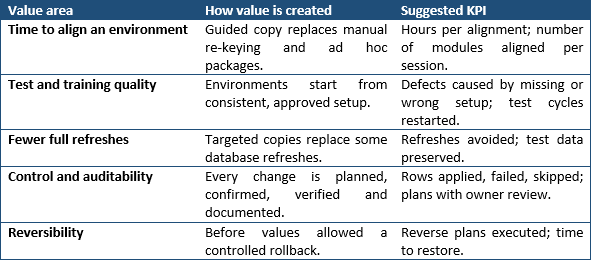
Quantifiable and strategic value
Governance and operating model
- Write only where allowed: the agent writes only to the selected target, only through data entity create, update and delete tools, and only for rows of a confirmed plan. It never writes to the source and never uses form actions.
- Sandbox targets only: the environment catalog marks each environment as sandbox or production and as target allowed or not.
- Explicit confirmation: the user must type CONFIRM followed by the target host. Confirmation is never reused, and any scope change requires a new plan. In an orchestrated scenario, only the user’s own answer is accepted.
- Delete is opt-in: Create and Update are the default; deleting records that exist only in the target requires an explicit choice and every delete is listed in full.
- Sensitive data excluded: bank account numbers, IBANs, number sequence current values, users, security roles, transactions and open documents are never copied, and IBANs are masked in every report.
- User rights apply: the agent acts with the signed-in user’s own permissions in each environment and never works around an access denial.
| Control point |
| A copy is a change, not a report. Module owners should review the plan workbook before the confirmation is typed, deletes should be enabled only when the target must exactly mirror the source, and the result workbook should be kept with the release or environment refresh evidence. |
Future extension
Once the setup copy is governed and proven module by module, the same pattern could be extended carefully. Possible next steps include saved copy profiles for recurring sandbox refreshes, a scheduled comparison followed by a proposed copy plan for owner approval, and, as a separate governed scope, selected reference master data such as financial dimension values or sites and warehouses. Master data would require additional controls for volume, sensitive data, filters, keys and business ownership, and should not be treated as a simple reuse of setup rules.
Conclusion
A D365 F&SCM Setup Copy Agent closes the loop opened by the Setup Comparison Agent. Where the comparison makes configuration drift visible, the copy agent corrects it in non-production environments through a planned, confirmed, verified and reversible process. The result is faster environment alignment, more reliable testing and training, fewer heavy refreshes and a complete record of every change, without giving up control over what is written and where.
Microsoft sources
- Manage configuration and migration data for Dynamics 365 projects – Dynamics 365 | Microsoft Learn
- Configuration data projects – Finance & Operations | Dynamics 365 | Microsoft Learn
- Configuration data packages – Finance & Operations | Dynamics 365 | Microsoft Learn
- Copy configuration data between companies or legal entities overview – Finance & Operations | Dynamics 365 | Microsoft Learn
- Build an agent with Dynamics 365 ERP MCP – Finance & Operations | Dynamics 365 | Microsoft Learn


Leave a Reply