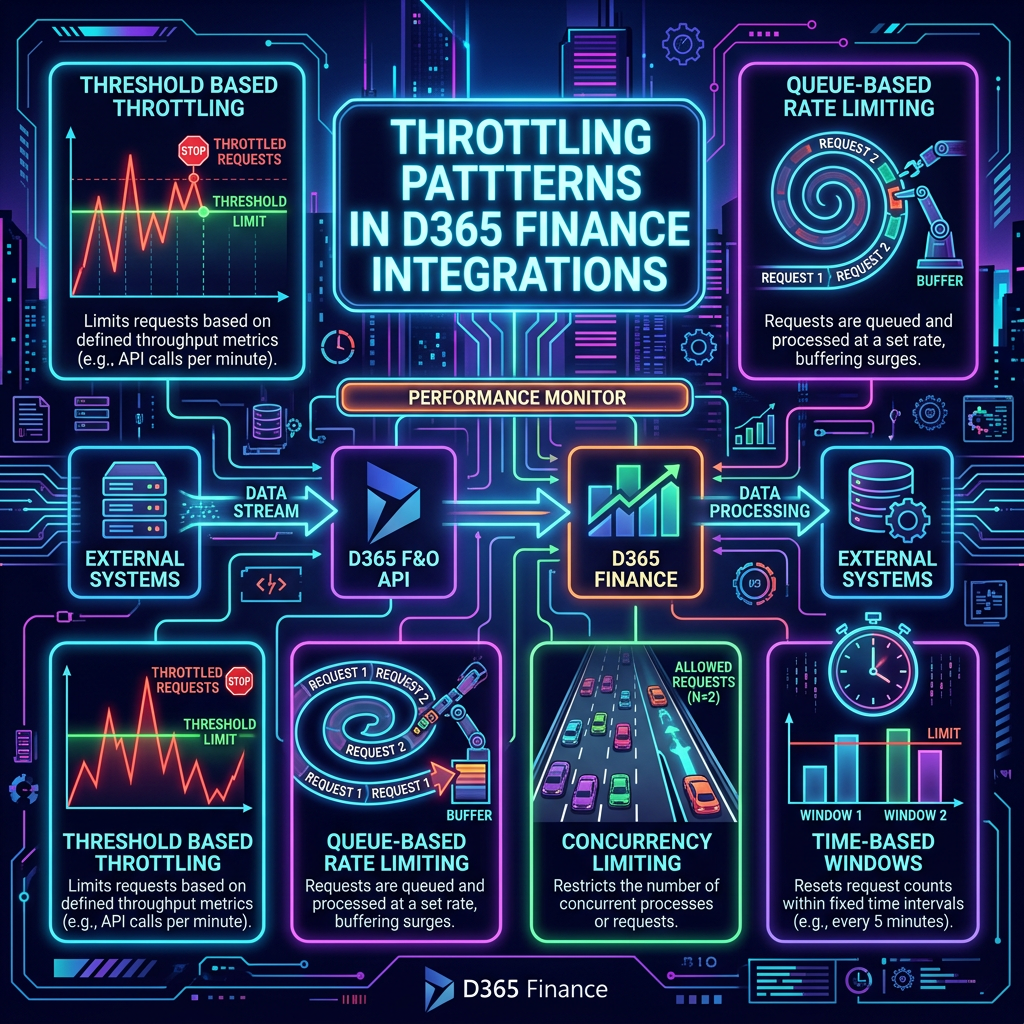
- Introduction
- Two Controls, One Outcome: HTTP 429
- The Most Common Mistake: Testing in an Empty Room
- Retry-After Is Not Always What You Think
- Throttling Priority: A Reducing Coefficient, Not a Boost
- Recommendations for 2026
Introduction
How Service Protection API limits behave today — and what integration teams keep getting wrong
Service protection API limits arrived in Dynamics 365 Finance & Operations a few years ago to keep shared environments healthy. The mechanics have evolved, the load profiles have changed, and 2026 is a good moment to look again at how throttling actually behaves in production — and what integration teams keep getting wrong.
Two Controls, One Outcome: HTTP 429
Inbound integration traffic in FINANCE & SCM is governed by two distinct controls. They are often conflated, but they fail in very different ways.
Resource-based throttling
This control rejects requests when the shared environment resources cross thresholds:
- RAM on the application nodes
- CPU on the application nodes
- SQL CPU on the shared database
When any of these saturate, FINANCE & SCM starts returning HTTP 429 regardless of how well-behaved your integration is. The trigger is the environment, not the caller.
App throttling
This one is deterministic and per-application. The published limits are:
| Metric | Limit | Scope |
| Requests | 6 000 | Per app / per node / 5-min sliding window |
| Combined execution | 1 200 seconds | Per app / per node / 5-min sliding window |
| Concurrent requests | 52 | Per app / per node |
Hit any of these caps and your specific application gets throttled — even if the environment is otherwise idle.
Side-by-side
| Aspect | Resource-based throttling | App throttling |
| Trigger | Environment-wide pressure (RAM, app node CPU, SQL CPU) | Per-application caller limits |
| Scope | Shared across all callers | Per app, per node |
| Limits | Dynamic — based on resource thresholds | 6 000 requests / 1 200 sec / 52 concurrent, 5-minute sliding window |
| Visibility | Hard to attribute — your traffic may not be the cause | Deterministic — directly tied to your app |
| Mitigation | Resource monitoring + dynamic back-off | Cap concurrency, batch payloads, respect Retry-After |
The Most Common Mistake: Testing in an Empty Room
This is the single biggest blind spot in 2026 integration projects:
| Performance tests are run in an environment where nothing else is running. No interactive users, no Power Platform flows, no DMF, no batch jobs, no MCP traffic, no other integrations. Just one consumer hammering one endpoint. |
The result looks clean — and is dangerously misleading.
In production, SQL CPU is a shared resource. Pressure on it comes from:
- Interactive user load
- Power Platform flows
- DMF and other exempt apps
- Batch jobs
- OData, MCP, and custom service traffic from other integrations
It is much like rehearsing brass on its own and only meeting the full orchestra on opening night — you get a clean impression of one part, but no sense of how it sits in the mix when everything else is playing.
The HTTP 429 your integration receives in production may have nothing to do with your integration. It may be the cumulative pressure of everything else hitting SQL CPU at the same time.
Retry-After Is Not Always What You Think
The documentation states that Retry-After is dynamically computed based on load. In practice, under continuous load, the value observed tends to be fixed — and often significantly shorter than the duration of the event causing the saturation.
The consequence is a retry storm: clients back off for the duration the header tells them, the underlying saturation has not cleared, and they slam into the same wall again on the next attempt. Queue depth grows, latency degrades, and the perceived “intermittent” throttling is actually a sustained event masquerading as one.
The robust fix involves two patterns that integration teams rarely implement:
- Resource monitoring — observe SQL CPU, app node CPU, and RAM directly, not just the 429s.
- Dynamic back-off — pace the message queue based on observed pressure, not just on the Retry-After value.
Both add complexity. Both are also the only reliable way to behave well in a saturated environment.
Throttling Priority: A Reducing Coefficient, Not a Boost
This is widely misunderstood. Setting Throttling priority to High does not give your integration extra capacity. It only means lower-priority integrations get cut first when the environment is under pressure.
The effective behavior is:
| Priority | Capacity impact | When to use |
| High (default) | Baseline — no boost | Mission-critical flows |
| Medium | Capacity reduced ~10% | Standard background flows |
| Low | Capacity reduced ~20% | Tolerant, deferrable workloads |
Priority is a reducing coefficient applied to non-critical traffic, not an accelerator for important traffic. Use it to protect mission-critical flows by downgrading the rest — that is its actual mechanism.
Recommendations for 2026
- Account for both controls in design and test planning. Every integration design document should explicitly state how the integration behaves against (a) resource-based throttling and (b) app throttling — they fail in different ways and require different mitigations.
- Implement dynamic back-off when you observe bottlenecks. Do not rely solely on Retry-After. Watch your own queue depth, retry counts, and the environment’s resource telemetry. Pace yourself accordingly.
- Use throttling priority in production — but use it correctly. Set non-critical integrations to Medium or Low so the platform sheds their load first when SQL CPU saturates. Reserve High (the default) for flows where customer impact would be immediate.
- Load test under realistic workload. Concurrent users, parallel integrations, batch jobs, Power Platform flows — all running together. A test that passes in an empty environment proves nothing about how the integration will behave when the orchestra is on stage.
Closing Thought
Throttling in FINANCE & SCM is not a bug to be worked around — it is the platform protecting itself, and by extension protecting every tenant sharing the same SQL backend. The integrations that survive production are the ones designed to observe pressure, adapt to it, and yield gracefully rather than the ones that assume the environment is theirs alone.
In 2026, with MCP traffic, AI agents, Power Platform flows, and an ever-growing mesh of automations hitting FINANCE & SCM concurrently, the empty-room test is no longer just optimistic — it is a liability.


Leave a Reply